Ostrich VPN - Proxy Unlimited
- 4.6
- Rating
- 5.00M
- Installs
- Free
- Price

 Analysis by App-foxy
I approached Ostrich VPN - Proxy Unlimited as a practical productivity tool rather than as a flashy security app. Its purpose is straightforward: provide a VPN proxy connection with support for V2ray, VMess, and WebSocket, so the user can try to route internet traffic through an alternative connection when a normal network is unreliable or restrictive. After spending time with it, I found that its strongest quality is the directness of that idea. It is aimed at people who want a free VPN option without committing to a subscription, but it also asks users to understand a little more about connection choices than the most polished mainstream VPN services do.
The app comes from Geware VPN Pro and is available at no cost. It belongs to the productivity category, which makes sense when I think of it as a tool for keeping access to websites, work services, messaging platforms, or cloud resources available during difficult network conditions. Its store presence is substantial, with more than five million installs, an average rating of 4.6 from roughly forty-five thousand ratings, and about four thousand reviews. Those figures suggest that it has found a broad audience, although popularity alone does not tell me whether it will suit every user or every type of connection.
Using the app when clear navigation matters
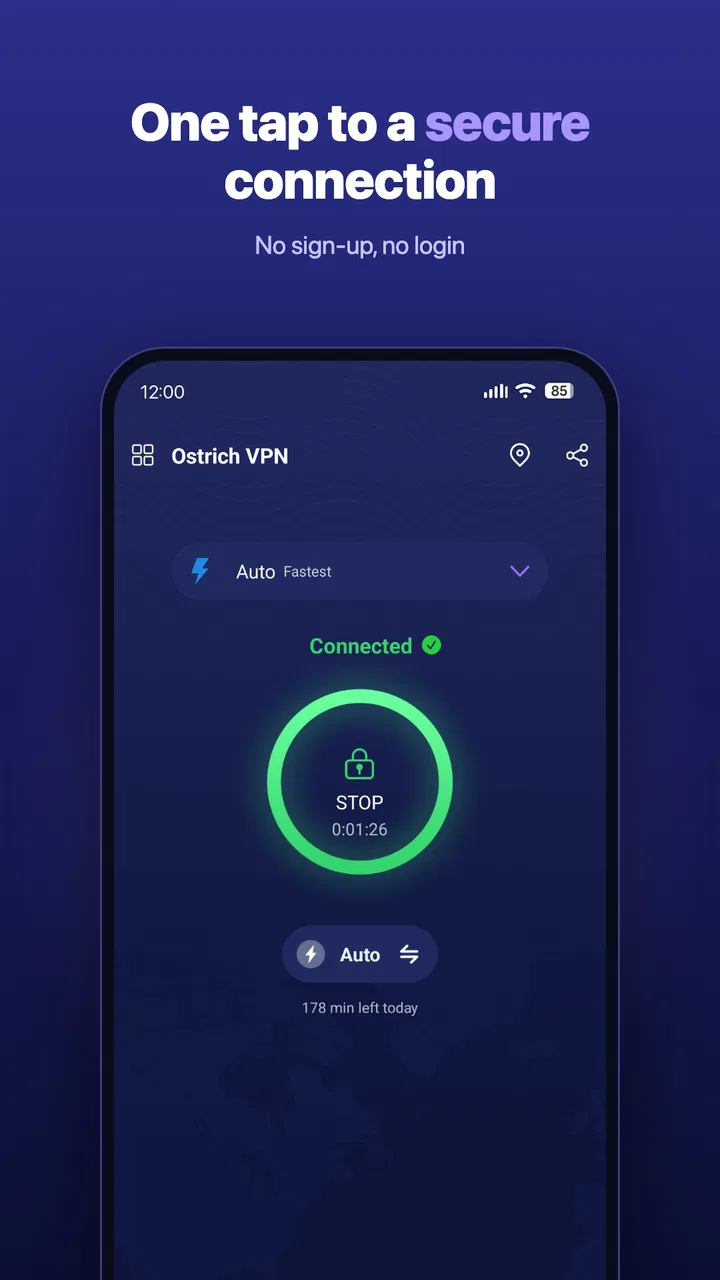
My first impression is that a VPN app needs to make one action obvious: connecting. Ostrich VPN is most useful when the path from opening the app to starting a session feels understandable, especially for someone who is already dealing with a slow or blocked network. The app’s focus on proxy connections and protocol support gives it a more technical character than a simple “tap and go” privacy product, so new users may need a moment to understand what each available choice is doing.
You May Also Like

 Blood Strike: 2.5 Anniversary
Blood Strike’s Loadouts Turn Every Drop Into a Tactical Gamble
A close look at Blood Strike’s custom loadouts: how fast access to signature weapons reshapes its battle royale rhythm, rewards preparation, and narrows the gap between fights.

 Pandora - Music & Podcasts
Pandora’s Music Is Easy to Start, but Harder to Recover
Pandora’s strength is its low-effort path from a seed to a station. Its weak spot is how much confidence it asks you to place in connection, setup, and quiet recovery.

 8 Ball Pool
 Is Built on Rivalries, Rematches, and Routine
A close look at the rivalries, rematches, shared routines, and unanswered safety questions that turn a quick pool match into a persistent mobile community.

 Samsung Music
’s Quiet Strength Is Playing What You Already Own
Its reach comes less from spectacle than from dependable access to a personal library. That simplicity is both the app’s strongest retention engine and its ceiling.

 AccuWeather: Weather Radar
AccuWeather Review: A Quick, Clear Forecast for Everyday Decisions
For everyday plans, the best forecast is the one you can understand quickly. AccuWeather makes rain timing, radar, and local conditions easy to act on, with a few trade-offs.

 Hill Climb Racing
Why Hill Climb Racing Still Turns Crashes Into One More Run
A tiny car, a bumpy hill and one more upgrade: Hill Climb Racing keeps resurfacing because its simple chaos makes every near-miss feel personal.
More From Our News Desk



That distinction matters for readability. A person who is comfortable with terms such as VMess or WebSocket will probably feel more at home than someone who has never configured a proxy. I would not describe the experience as inaccessible by default, but I also would not recommend assuming that every setting is self-explanatory. When an app exposes connection methods, server choices, or configuration details, short labels are not always enough for a first-time user to make a confident decision.
For everyday navigation, I would keep the workflow simple: open the app, identify the connection control, choose a working option, and test the result with the service I actually need. I would avoid changing several settings at once. That approach is especially helpful for users with cognitive disabilities or anyone who finds dense configuration screens tiring, because it creates a clear cause-and-effect relationship. If the connection fails, I know which single change to review instead of trying to remember a long sequence of adjustments.
The app’s current version is 3.5.1(411), and it supports Android 6.0 and later. That broad operating-system reach is useful for people who keep an older phone as a backup device or cannot upgrade hardware frequently. It also means the app can be relevant in households where not everyone uses a recent handset. Still, an older Android phone may already have a smaller display, slower performance, or less responsive touch input, so the theoretical compatibility does not guarantee an equally comfortable experience on every device.
Making connection choices less confusing
A useful habit is to treat the first successful connection as a baseline rather than immediately searching for the most advanced configuration. If I were helping a friend use it, I would first ask what they need the VPN for: opening a work page, using a messaging service, browsing on public Wi-Fi, or testing whether a network restriction is the problem. That question narrows the task and prevents the app from becoming a collection of unexplained technical options.
Another practical tip is to note which connection choice works in a particular place and time. A network that performs well at home may behave differently on a busy public hotspot. Keeping a simple personal note, without storing sensitive credentials in an exposed place, can reduce repeated trial and error. This is not a glamorous feature, but it makes a difference for users who have memory difficulties or who need a predictable routine.
I also recommend checking whether the service I need works after connecting instead of judging success only by the app’s connected state. A VPN can appear active while a particular website, video service, or workplace system still refuses the connection. That extra check is important for anyone who depends on the app for a deadline, because it separates “the tunnel started” from “my actual task is possible.”
Motor and sensory considerations in real use
VPN apps are often used during moments of frustration: a page will not load, a public network keeps dropping, or a user needs to reach something quickly. That makes touch interaction and visual clarity more important than they might seem. I found the best experience came from using the app deliberately, with enough time to read the available choices instead of repeatedly tapping while the connection state changed.
For users with limited fine-motor control, the main concern is the precision required when selecting a server or configuration. A compact control can be difficult to hit accurately, particularly on an older phone or when the device is being used one-handed. I would use the app with the phone resting on a stable surface whenever possible. That simple adjustment reduces accidental selections and gives the user more control during setup.
People with tremors or reduced dexterity may also benefit from avoiding rapid repeated taps on the connect control. If the interface is still processing a request, tapping again can make it harder to tell whether the connection is progressing or whether a second action has interrupted the first. My preferred routine is to tap once, pause, and then verify the state before changing anything else.
For users with low vision, the amount of information on a VPN screen can become a barrier even when the words themselves are familiar. Android’s system text enlargement and display scaling may help, but enlarging the interface can also cause labels or controls to fit differently. I would test the app with the phone’s preferred text size before relying on it for travel or work. If important connection information becomes clipped or difficult to scan, the app may require more visual effort than the user can comfortably give it.
Color-dependent status indicators can also be challenging for people with color-vision differences. I would not rely on a green or red state alone; I would look for the accompanying text or connection change and then confirm by opening the intended service. This is a broader lesson for VPN use, but it is particularly relevant here because the difference between connected, connecting, and failed can determine whether the next step works.
Users who are sensitive to motion or visual changes should take a cautious approach when switching between connection states. Rather than repeatedly opening and closing screens, I would select one option, wait for the result, and keep the rest of the workflow still. The app is easier to use when treated as a calm utility instead of something to operate through frantic trial and error.
A realistic daily scenario
Imagine I am working from a café with an Android phone that still runs an older version of the operating system. The public Wi-Fi connects, but a work page repeatedly times out. I open Ostrich VPN, choose a connection option that I understand, and wait for the status to settle. I then reopen the work page and check whether the problem has changed. If it has, I continue with the task; if not, I disconnect and try a different option rather than assuming that every failure is caused by the VPN.
That workflow is valuable for someone who needs fewer steps and a clear fallback plan. It is also more inclusive than simply telling a user to “turn on a VPN,” because it recognizes that the connection itself is only one part of the task. A person with limited stamina can prepare the needed website or app before connecting, so they do not have to navigate several unrelated screens while troubleshooting.
Access across different places, devices, and abilities
Ostrich VPN is particularly relevant in situations where the normal route to the internet is unreliable. A traveler may encounter a network that handles ordinary browsing but struggles with a particular service. A student may need to reach an online resource from a crowded shared network. A remote worker may want to test whether routing traffic differently changes access to a work tool. In each case, the app offers a free way to experiment without adding a subscription to the monthly budget.
The free price is a meaningful advantage for users who cannot justify paying for a VPN or who only need one occasionally. It also makes the app easier to recommend as a secondary tool for testing a connection problem. However, free access should not be confused with guaranteed performance. A user who depends on stable, fast service for frequent video meetings, large uploads, or time-sensitive work may prefer a paid provider with a more predictable support model and a clearer set of service commitments.
The app can also help people who share devices or have limited technical confidence, but only if the setup is handled carefully. I would avoid making configuration changes on someone else’s phone without explaining what is being changed and why. For a family member with memory challenges, a short written routine can help: open the app, select the known option, connect, test the required service, and disconnect when finished. Keeping that routine consistent is more useful than presenting every available option at once.
Its support for V2ray, VMess, and WebSocket is an important difference from many basic VPN apps. Those terms will matter to users who already know which protocol or proxy arrangement their network requires. They can also make the app a better fit for a specific technical situation where a conventional one-tap VPN does not connect. The trade-off is that this flexibility increases the learning curve. Someone looking only for a large map, a country list, and an automatic recommendation may find a simpler mainstream VPN easier.
For people using assistive technologies, I would judge the app by the actual interaction on their device rather than assuming that Android compatibility equals full accessibility. Screen magnification, larger text, switch access, voice control, or a screen reader may change how comfortably the controls can be reached and understood. The safest approach is to install it on the intended phone and test the complete task, including selecting a connection and confirming that the needed service works.
There is also a situational accessibility issue that is easy to overlook: a VPN can change how websites and apps behave. A service might ask for another sign-in, display a security check, or respond more slowly after the route changes. That can be especially difficult for someone who relies on a strict routine or has limited time to interpret unfamiliar prompts. I would connect before an important task, not for the first time in the middle of an appointment, exam, or work call.
Where the experience still has barriers
The biggest barrier is technical language. V2ray, VMess, and WebSocket are useful terms for an informed audience, but they are not everyday vocabulary for most phone owners. If a user does not know why one option differs from another, the app can feel like a troubleshooting tool rather than a finished consumer product. I see this as the central trade-off: more protocol-oriented flexibility can provide practical solutions, but it places more responsibility on the person using the app.
Another limitation is that a VPN cannot repair every network problem. It will not automatically fix a weak mobile signal, a broken router, a service outage, or an account that has been locked. It may also introduce slower loading or extra verification steps. I would not use it as the only solution for a critical workflow. Keeping a second connection method available, such as mobile data or a trusted alternative network, is sensible when access really matters.
Privacy expectations deserve careful judgment as well. A VPN changes the route your traffic takes, but that does not mean every online activity becomes anonymous or risk-free. I would still use strong account passwords, avoid entering sensitive information on suspicious pages, and remember that the app is a connection tool rather than a replacement for general online safety. Users who need extensive transparency about logging, independent audits, or enterprise controls may be better served by a provider whose documentation and support are built around those requirements.
People with accessibility needs should also consider the cost of troubleshooting. If a connection fails, resolving it may require reading technical labels, changing options, or repeating a test. That workload can be much higher for someone using magnification, voice input, a screen reader, or a device with a small display. I would recommend it to users who have a helper available or who are comfortable learning the basics, but I would be more cautious about recommending it as the sole VPN for someone who needs effortless, fully guided operation.
Battery and data use can become practical concerns during extended sessions, especially on an older phone. I would disconnect when the protected route is no longer needed instead of leaving it active automatically all day. That habit also makes troubleshooting easier because I know whether a later connection problem began with the VPN or with the underlying network. For users with limited battery access, this small amount of manual control can be important.
My inclusive verdict
I see Ostrich VPN - Proxy Unlimited as a useful free option for Android users who want to test alternative routing and who are willing to engage with a somewhat technical VPN experience. Its support for V2ray, VMess, and WebSocket gives it a specific identity beyond a generic privacy switch, while its compatibility with Android 6.0 and later keeps it relevant to people using older devices. The large install base and strong average rating indicate that many users find value in it, but I would still judge it by the demands of the individual situation.
The app is most inclusive when the user treats it as a simple, repeatable workflow rather than an endless configuration screen. Start with one understandable connection choice, wait for the status to settle, verify the service that matters, and record the option that works in that location. Use larger text or magnification if needed, keep the phone steady during selection, and avoid relying only on color to interpret the connection state.
I would recommend it to budget-conscious users, people with older Android phones, technically curious users, and anyone who needs a free way to investigate whether routing is causing an access problem. I would hesitate to recommend it to someone who expects automatic server selection, extensive guidance, or guaranteed performance for important professional work. In those cases, a more polished paid VPN may be the better choice, even if it offers fewer protocol-focused controls.
My final view is positive but measured. This is not an app I would hand to every friend with the promise that it will solve every internet problem. I would recommend it to the friend who needs a practical tool, can follow a short troubleshooting routine, and values free access over a completely effortless interface. For that audience, Ostrich VPN - Proxy Unlimited can make difficult network situations more manageable while remaining usable across a wide range of Android devices.
FAQs for Ostrich VPN - Proxy Unlimited
01What is Ostrich VPN - Proxy Unlimited?
Ostrich VPN - Proxy Unlimited is an application designed to provide secure and private internet access. It allows users to connect to different servers worldwide, ensuring anonymity and protection from potential cyber threats. The app is available on both Android and iOS platforms, offering unlimited bandwidth and fast connection speeds.
02How does Ostrich VPN ensure my online privacy?
Ostrich VPN encrypts your internet traffic, making it difficult for hackers, ISPs, or any third parties to monitor your online activities. By masking your IP address, it provides an additional layer of privacy, ensuring that your personal data remains secure and anonymous while browsing the web.
03Are there any limitations on data usage with Ostrich VPN?
Ostrich VPN - Proxy Unlimited offers unlimited data usage, allowing you to browse, stream, and download without worrying about hitting any data caps. This makes it ideal for users who require high data consumption, such as streaming HD videos or downloading large files.
04Is Ostrich VPN easy to use for beginners?
Yes, Ostrich VPN is designed with user-friendliness in mind. The app features a simple interface that allows even beginners to connect to a VPN server with just a few taps. Additionally, it offers a quick setup process and provides detailed instructions to ensure a hassle-free experience.
05Does Ostrich VPN affect my internet speed?
While using a VPN can sometimes impact speed, Ostrich VPN is optimized to provide minimal speed reductions. It offers high-speed servers strategically located around the globe to ensure fast and reliable connections, making it suitable for browsing, streaming, and gaming without noticeable lag.
Pros
- Fast connection speeds enhance browsing.
- User-friendly interface for easy navigation.
- Supports multiple devices simultaneously.
- No-log policy ensures privacy protection.
- Global server access for bypassing restrictions.
Cons
- Free version has limited data usage.
- Ads can be intrusive at times.
- Not all servers are equally fast.
- Occasional connection drops reported.
- Limited customer support options available.

Ostrich VPN - Proxy Unlimited
Gallery